

Hotel virtual tours using smartphone 360 photography directly impact your booking rates and revenue. Properties with comprehensive virtual tours see 48% more direct bookings and 35% longer guest stays. This guide shows hotel operators exactly how to create virtual tours that showcase your property and convert browsers into bookers.
Why Hotel Virtual Tours Drive Bookings
The Guest Decision Process
Modern travelers demand transparency before booking:
85% of travelers now explore virtual tours before making a booking decision, making this a critical marketing tool. Hotels with tours experience 40% higher click-through rates on their listings compared to those without. Virtual tours reduce cancellations by 27% because they set accurate expectations upfront. Direct bookings increase significantly when guests trust your presentation and feel confident about their choice.
Competitive Advantage
Virtual tours help you stand out on OTA platforms like Booking.com, Expedia, and Airbnb where competition is fierce. They justify premium pricing with transparency that builds guest confidence. Tours build trust with international guests who can't visit in person before booking. They also reduce front desk questions about facilities and amenities, saving staff time.
Essential Spaces to Capture
Priority Areas (Must-Have)
Start with the exterior and entrance as first impressions matter enormously. Next, capture the lobby and reception to showcase your ambiance and design aesthetic. A standard room is essential as this is your most common booking category. Include a premium or suite room to create upsell opportunities. The bathroom is a critical decision factor for many guests and deserves special attention. Your restaurant or dining area demonstrates food service capabilities. Don't forget the pool and fitness center as these are key amenities. Finally, include event spaces such as meeting rooms and ballrooms if applicable to your property.
Secondary Areas (Valuable Add-Ons)
Consider adding bar and lounge areas that create atmosphere. Spa and wellness facilities appeal to relaxation-focused guests. A business center serves corporate travelers. Rooftop or terrace views can be major selling points. Garden or outdoor spaces add value for many guests. For family hotels, kids' play areas are important differentiators.
Hotel Virtual Tour Shooting Strategy
Room Preparation Standards
Guest Rooms:
Achieve housekeeping perfection with hospital corners, fluffed pillows, and zero wrinkles on all linens. Pay attention to styling details like folding a towel on the bed and positioning the remote neatly. Use lighting layers by turning on all lights including bedside lamps, desk lights, and bathroom illumination. Develop a curtains strategy – open them to show views, or close them to emphasize the room interior. Remove service directory clutter, do not disturb signs, and luggage racks unless you're showcasing a luxury property.
Public Spaces:
Schedule your shoot during off-peak hours, with early morning being the best time. Place fresh flowers at reception and in high-traffic areas. Ensure all signage is clean and professional-looking. Optimize furniture arrangement for space and flow. Remove any temporary items like wet floor signs or cleaning carts that detract from the presentation.
Timing Your Shoot
The best time for shooting is 7-10 AM before guests populate common areas. Coordinate room photography with the housekeeping schedule to access freshly prepared rooms. For the restaurant, shoot after setup but before service begins. The pool area looks best in early morning or at sunset for optimal lighting. Avoid the checkout chaos from 10 AM to 12 PM and the check-in rush from 3-5 PM.
Room-by-Room Hotel Photography Guide
Guest Rooms
Capture Strategy:
For the entry position, stand in the doorway and shoot into the room showing the full layout. Position yourself at the bed focal point from the foot of the bed facing the headboard and window. If the room includes a desk or chair, capture the sitting area from that angle. Make sure to highlight key features like views, workspace, and closet space.
Essential Details to Show:
Clearly display bed size and quality by showcasing luxury linens. Show the window view or lack thereof to manage guest expectations accurately. Capture work desk and chair quality for business travelers. Display TV size and positioning. Demonstrate storage and closet space availability. Include the coffee maker and mini-fridge in your shots.
Bathrooms
Bathrooms are deal-makers or deal-breakers:
Ensure spotless cleanliness where every surface must sparkle without exception. Display fresh towels rolled and arranged attractively. Make amenities visible by showing luxury toiletries if provided. Lighting is crucial – turn on all vanity and ambient lights for the best presentation. Highlight features like rain showers, soaking tubs, dual sinks, and heated floors that differentiate your property.
Lobby and Common Areas
Capture the grand entrance showing architectural features that create first impressions. Include the reception area demonstrating the check-in experience. Photograph seating areas that convey ambiance and comfort. Showcase design elements such as artwork, chandeliers, and unique features. Include the concierge or business services area to show available support.
Dining Facilities
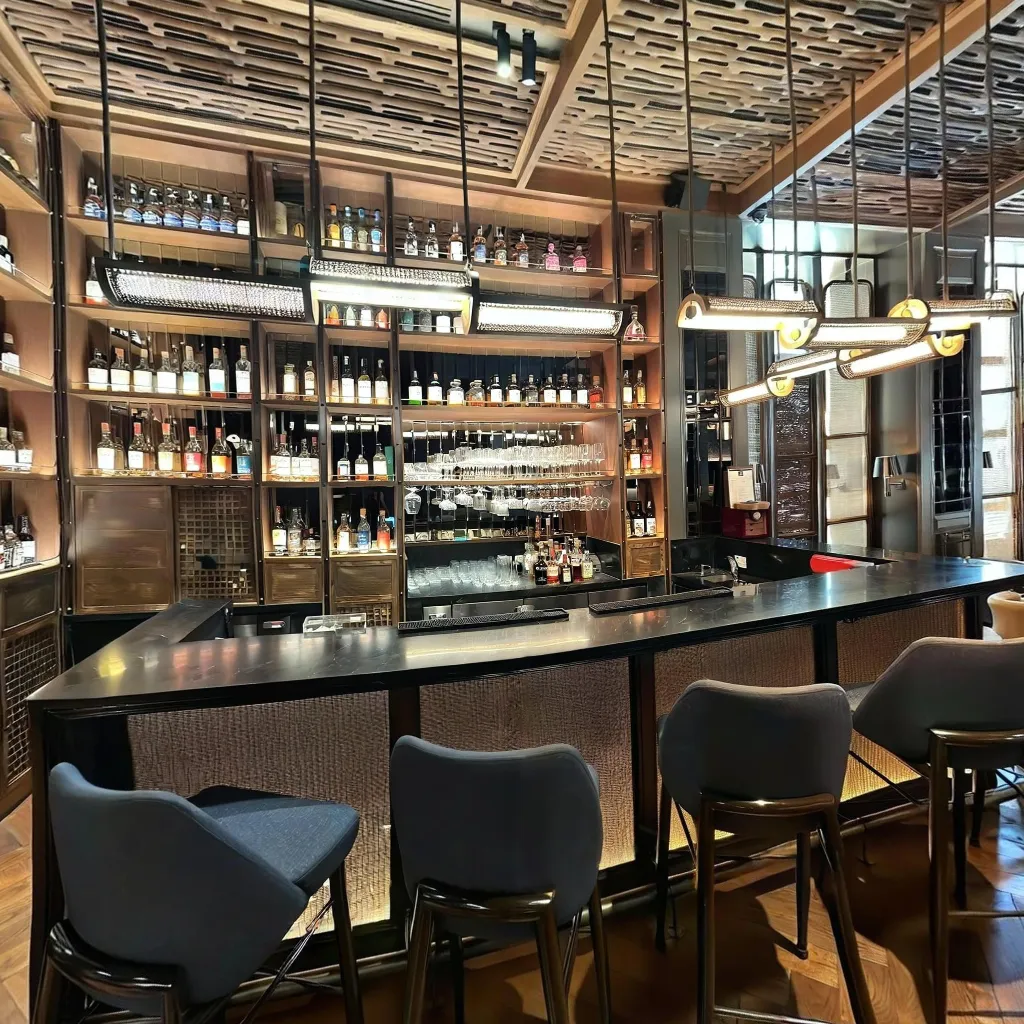
For the breakfast area, set tables with place settings and fresh food displays. The restaurant should be captured during best lighting conditions, using natural light if available. The bar area should show seating options and atmosphere. Include sample menu presentations, buffet setups, and the coffee station.
Amenity Spaces
Pool Area:
Shoot early morning for pristine, people-free water that looks inviting. Show lounge chair availability and arrangement to demonstrate capacity. Capture the surrounding deck and landscaping to provide context. Include cabanas, outdoor shower, and poolside bar if available to showcase full amenities.
Fitness Center:
Show the range and quality of equipment available to guests. Demonstrate adequate space and organization of the facility. Include amenities like water stations, towels, and TV screens. Highlight 24-hour access if applicable to your property.
Creating Compelling Hotel Virtual Tour Navigation
Logical Guest Journey
Mirror the actual guest experience:
Begin with the exterior approach showing the building facade and entrance. Move to lobby arrival featuring reception and first impressions. Next comes room exploration, progressing from standard to premium room options. Follow with amenity discovery including pool, fitness, and dining facilities. Include event spaces with meeting rooms and ballrooms if you're showcasing these. Finally, provide neighborhood context through outdoor views or proximity features.
Information Hotspots Best Practices
Enhance without overwhelming:
For room features, include bed type, view description, and unique amenities. Display facility hours for pool, fitness, and breakfast times. Add booking CTAs with "Book This Room Type" buttons on premium suites. For event capabilities, show capacity and setup options for meeting spaces.
Hotel Virtual Tour Marketing Strategy
OTA Platform Integration
Booking.com, Expedia, Hotels.com:
Upload virtual tour links to property descriptions prominently. Use compelling preview images that invite exploration. Mention "Full 360° Virtual Tour" in property highlights. Properties with tours rank higher in search results, improving visibility.
Airbnb (for boutique hotels):
Embed the link in your listing description. Reference the tour in your house manual. Include it in pre-arrival communication to excite guests.
Hotel Website Strategy
On the homepage hero, feature the virtual tour prominently as a key engagement tool. On room pages, embed specific room virtual tours directly. In the amenities section, link to pool, fitness, and dining tours. For the event planning section, show meeting spaces to event coordinators. Within the booking engine, add "Explore in 360°" buttons throughout the reservation process.
Social Media Campaigns
On Instagram Stories, create teasers with "Swipe Up for Full Tour" to drive engagement. Facebook posts can feature "Walk Through Our Property From Home" messaging. Use LinkedIn to target corporate travel planners with meeting space tours. TikTok/Reels should feature short clips directing viewers to the full virtual tour.
Email Marketing
Target past guests with "See What's New" messages highlighting renovation updates. Send tours to prospects within nurture sequences to build interest. Show corporate clients event space showcases for meeting planners. Include tours in pre-arrival emails, sending room tours to confirmed guests.
Hotel Virtual Tour ROI and Metrics
Measurable Impact
Track these key performance indicators:
Direct booking conversion typically increases 25-48% with comprehensive tours. Average booking value rises as upsells to premium rooms increase by 30%. Cancellation rate decreases by 27% due to accurate expectations being set. Website engagement improves with time on site increasing by 60%. OTA rankings improve with better search placement on major platforms.
Cost-Benefit Analysis
Professional photographer:
Initial shoot costs $800-2,000 depending on property size. Updates for renovations run $500-1,000 each. The timeline extends 1-2 weeks for delivery. Flexibility is limited, requiring advance scheduling.
Smartphone virtual tours:
Initial comprehensive tour costs $50-150 for 20-30 scenes. Updates are immediate and free to reshoot. The timeline allows creating and publishing the same day. Flexibility is unlimited – update seasonally, after renovations, or anytime. Annual savings typically range from $1,500-3,000 or more.
Special Considerations for Different Hotel Types
Boutique and Luxury Hotels
Emphasize unique design and architectural details that set you apart. Capture luxury amenities like robes, premium toiletries, and turndown service setups. Showcase personalized services through careful staging. Include special features such as private balconies and in-room fireplaces.
Budget and Business Hotels
Focus on cleanliness and modern updates that demonstrate value. Highlight value propositions including free breakfast, parking, and WiFi. Show workspace quality that appeals to business travelers. Demonstrate efficiency and convenience that matter to this segment.
Resort and Vacation Properties
Showcase extensive outdoor and recreational facilities comprehensively. Feature beach or mountain views prominently. Include kids' facilities and family amenities that appeal to vacation travelers. Display multiple dining and entertainment options available.
Extended Stay Hotels
Display full kitchens and cooking equipment that differentiate extended stay properties. Show living area and workspace separation clearly. Demonstrate storage and closet space for longer stays. Include laundry facilities that are essential for extended guests.
Maintaining Your Hotel Virtual Tour
Update Schedule
Update immediately after major renovations or remodeling to reflect current state. Quarterly updates should capture seasonal changes like holiday decor or summer pool setups. Annual refreshes maintain the current look across your entire property. Update as needed when adding new amenities, changing room types, or adding facilities.
Quality Control Checklist
Ensure all scenes load quickly across devices and connection speeds. Verify navigation hotspots connect logically throughout the tour. Confirm information is current including hours, amenities, and features. Check that rooms accurately represent current inventory. Verify seasonal decor matches the current time of year.
Getting Started: Your Hotel Virtual Tour Plan
Week 1: Preparation and Priority Spaces
Download the Travvir app which includes $100 in free credits. Identify 10 priority spaces including lobby, 2 room types, and key amenities. Schedule with housekeeping for pristine room availability. Shoot during quiet morning hours for best results. Create basic navigation between scenes to connect your tour.
Week 2: Complete Coverage
Capture all additional amenities and spaces throughout the property. Shoot all room types for complete inventory representation. Add information hotspots to enhance the guest experience. Integrate branding and booking CTAs to drive conversions.
Week 3: Marketing Launch
Update all OTA listings with virtual tour links. Feature tours prominently on your hotel website. Launch a coordinated social media campaign. Add tours to email marketing templates. Train staff to share links with guest inquiries.
Ongoing: Monitor and Optimize
Track booking conversion impact through analytics. Gather guest feedback on the virtual tour experience. Update seasonally or as needed to maintain accuracy. Expand to show special events or new features as they're added.
Download Travvir & Start Creating


