

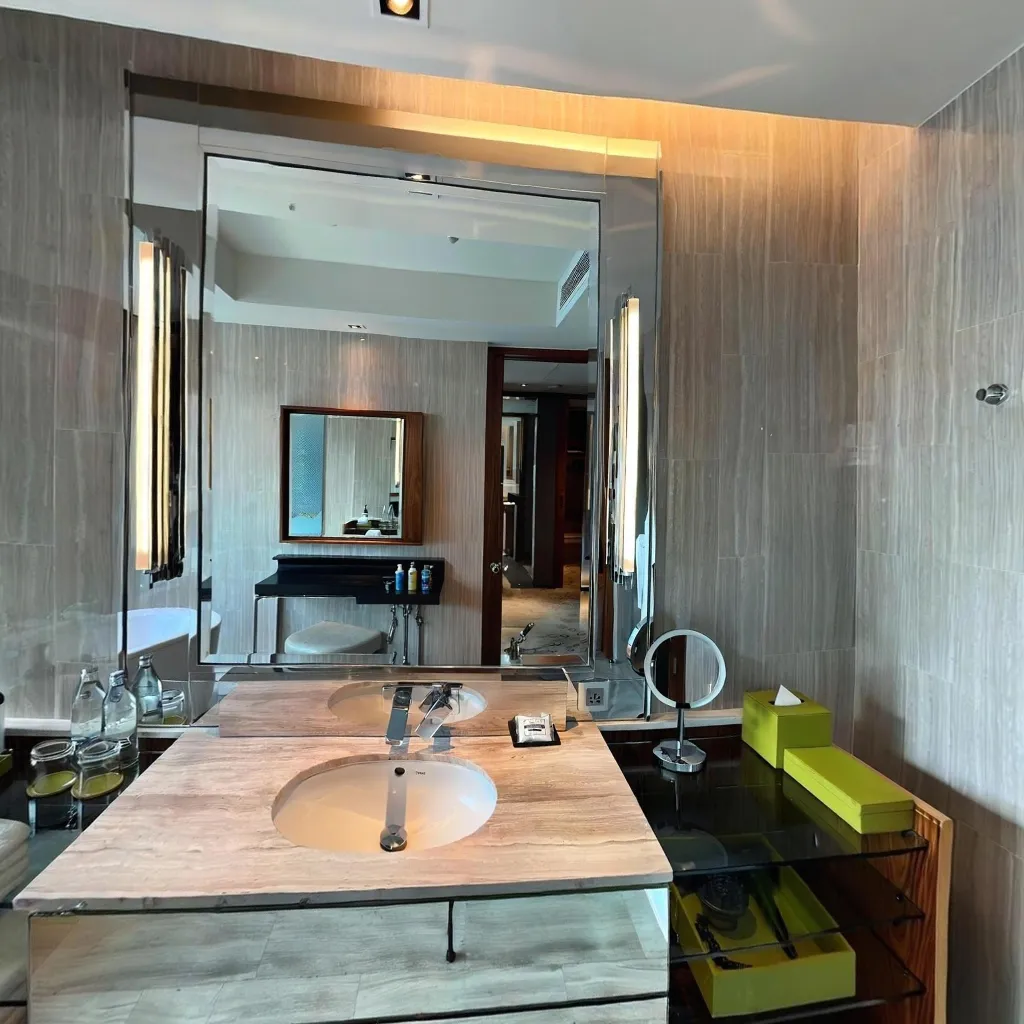
Hotels implementing 360° virtual tours are seeing dramatic increases in direct bookings while simultaneously reducing cancellation rates and customer service inquiries. This comprehensive guide reveals the proven strategies, real conversion data, and implementation roadmap for hotels ready to leverage virtual tour technology for measurable business results.
The Business Case: Real Hotel Data
Direct Booking Impact
Conversion Rate Improvements
Hotels without virtual tours achieve only a 2.1% booking conversion rate. Hotels with virtual tours see a 4.8% booking conversion rate. The result: 129% increase in conversion rate, more than doubling booking performance.
Direct Booking Percentage
Without virtual tours, only 34% of bookings are direct with 66% coming via OTAs. With virtual tours, 62% of bookings are direct while only 38% come via OTAs. The result: 82% increase in direct booking share, dramatically reducing commission costs.
Revenue Impact (200-room hotel, 75% occupancy)
OTA commission savings total $180,000 annually. Higher ADR from direct bookings adds $85,000 annually. Increased ancillary revenue contributes $45,000 annually. Total annual benefit: $310,000 from implementing virtual tours. Against a virtual tour investment of $2,000-5,000, this delivers an ROI of 6,100% to 15,400%.
Cancellation Rate Reduction
Without virtual tours, hotels experience an 18% cancellation rate. With virtual tours, this drops to 13%. The result is a 28% reduction in cancellations, protecting revenue and improving forecasting.
Why Cancellations Decrease:
Guests have accurate expectations before booking, eliminating surprises upon arrival. Tours eliminate "not as shown" disappointments that lead to cancellations. Better room type selection reduces last-minute upgrade requests and dissatisfaction. Fewer disputes arise about amenities and features when everything is clearly shown upfront.
Customer Confidence Metrics
Pre-Arrival Inquiries
Without virtual tours, hotels receive 8.2 inquiries per 100 bookings. With virtual tours, this drops to just 3.4 inquiries per 100 bookings. The result is a 59% reduction in pre-stay questions. This translates to staff time savings of 15-20 hours weekly for a mid-size hotel.
Guest Satisfaction Scores
Without virtual tours, hotels average 4.2 out of 5.0 in ratings. With virtual tours, this improves to 4.6 out of 5.0. The result is a 9.5% improvement in satisfaction, leading to better reviews and repeat bookings.
Strategic Implementation: What to Showcase
Priority 1: Guest Rooms
Create Virtual Tours for Every Room Type
Include standard rooms showing the actual room, not an idealized version that sets false expectations. Feature suite categories that highlight space and luxury features to encourage upgrades. Display accessible rooms demonstrating ADA features clearly for guests with special needs. Show view variations including ocean view, city view, and courtyard options. Present different bed configurations such as king, double queen, and connecting rooms.
Key Elements to Capture in Room Tours
Display bed and bedding quality with close-up shots that show thread count and pillows. Showcase bathroom facilities including shower, tub, dual sinks, and toiletries. Demonstrate work space and desk setup for business travelers. Show storage and closet space to address common guest concerns. Feature technology including TV, outlets, USB ports, and WiFi information. Display climate control access for guest comfort. Include mini bar or coffee station as value-added amenities. Show actual views from windows to manage expectations. Present room dimensions and layout to give accurate space perception.
Priority 2: Public Spaces and Amenities
Essential Common Area Tours
Lobby and reception create the crucial first impression that sets guest expectations. Fitness center tours should show equipment types and quantity for workout planning. Pool and spa areas need to display hours, facilities, and atmosphere. Business center tours are essential for work travelers who need to see available resources. Meeting spaces are critical for group bookings and event planning. Restaurants and bars showcase ambiance and seating options that influence dining decisions. Outdoor spaces including patios, gardens, and fire pits add recreational value.
Information to Highlight
Display operating hours for each amenity clearly. Show capacity and availability such as gym equipment quantity and pool size. Explain access policies including guest-only areas, fee-based services, and age restrictions. Highlight special features like heated pools, steam rooms, and ocean access. Demonstrate accessibility features for guests with special needs.
Priority 3: Dining Venues
Restaurant Virtual Tours
Showcase the main dining room atmosphere and seating capacity to set expectations. Include private dining spaces for special occasions and events. Display bar and lounge areas with their unique character. Feature outdoor dining patios that offer al fresco experiences. Show breakfast buffet setup if applicable to your property.
Booking Driver Elements
Convey ambiance and decor style that attracts your target guests. Demonstrate table spacing and privacy levels for intimate or social dining. Highlight views from dining areas that enhance the experience. Feature special elements like wine cellars, chef's tables, and live music areas.
Priority 4: Event and Meeting Facilities
For Business Travelers and Event Planners
Ballrooms should be shown in multiple setup configurations to demonstrate versatility. Breakout rooms need to illustrate capacity and flexibility for various group sizes. Boardrooms should highlight technology and professional layout. Pre-function spaces for registration and networking areas are important for event flow. Outdoor event venues including garden weddings and rooftop events expand booking possibilities.
Critical Information for Event Bookings
Provide exact capacity numbers for different setups including theater, classroom, and banquet styles. Show natural light availability that affects ambiance and photography. Display AV equipment and capabilities built into each space. Indicate power outlet locations for technical setup. Show loading dock and vendor access for event logistics. Demonstrate proximity to guest rooms for attendee convenience.
Creating Effective Hotel Virtual Tours
Best Practices for Capture
Timing and Preparation
Shoot during golden hour when natural light enhances spaces beautifully. Stage rooms perfectly with beds made, no clutter, and fresh flowers placed strategically. Test all lights and fixtures ensuring everything works and looks clean. Remove personal items including staff belongings and maintenance equipment. Check amenities to ensure the pool is clean, gym is organized, and lobby is pristine.
Technical Excellence
Capture multiple room examples in each category to show consistency. Show rooms from the guest perspective, entering from the hallway. Include transition spaces like hallways, elevators, and entrances. Photograph all seasons if your property changes dramatically throughout the year. Update tours annually or when renovations occur to maintain accuracy.
Interactive Features to Add
Information Hotspots
Amenity details allow clicks for hours, policies, and pricing information. Room features highlight premium bedding and technology. Service options include room service, concierge, and spa booking access. Local attractions show distance to beaches, downtown, and airports.
Calls-to-Action
Include "Book This Room" buttons on preferred room types to drive immediate conversions. Add "Check Availability" options for specific dates. Feature "Request Event Quote" buttons in meeting spaces. Include "View Menu" links in restaurant areas. Display "Explore Packages" for special offers.
Wayfinding and Navigation
Provide clear room-to-room transitions that feel natural. Include floor plan overlays showing tour progress for context. Offer jump-to navigation for quick access to specific areas. Display breadcrumb trails of viewed spaces to prevent getting lost.
Marketing Integration Strategies
Website Optimization
Homepage Placement
Place tours in the hero section with "Take a Virtual Tour" as the primary call-to-action. Position above the fold so visitors don't need to scroll to find it. Ensure mobile-optimized presentation since 65% of hotel bookings start on mobile devices. Focus on loading speed by optimizing for fast display across all devices.
Room Type Pages
Embed virtual tours at the top of each room description for immediate engagement. Make photo galleries supplementary to the primary tour experience. Track virtual tour views to measure interest levels. Use tour completion rates to inform room preference insights.
Booking Path Integration
Make virtual tours accessible at every step of the booking process. Add "View Room" links throughout the reservation flow. Include a comparison tool showing tours of different room types side by side. Send post-booking confirmations that include virtual tours for trip planning.
OTA Listings Enhancement
Booking.com, Expedia, Hotels.com
Upload virtual tour links to property descriptions prominently. Add virtual tour screenshots to photo galleries for visual interest. Reference virtual tours in property highlights to increase visibility. Drive traffic from OTAs to your direct booking site with better, more comprehensive tours.
Google Hotel Ads
Integrate tours into your Google Business Profile. Tours appear in local search results automatically. They show in Google Maps property listings. This drives direct bookings by showcasing your property before OTA comparison.
Email Marketing Campaigns
Pre-Arrival Communications
Confirmation emails should include "Revisit your room" tour links to build excitement. Pre-stay emails can feature "Plan your stay" with amenity tours. Countdown reminders build anticipation with tour highlights. Upgrade offers show suite tours to encourage pre-arrival upgrades.
Past Guest Campaigns
Send "We've renovated" messages showing updated spaces to past guests. Use "Miss us?" nostalgia tours to drive return bookings. Highlight "New amenities" by showcasing additions like pools, restaurants, or spas. Run seasonal campaigns featuring "Summer pool tours" or "Holiday decorations."
Social Media Strategy
Content Formats
Instagram Reels should feature 30-second virtual tour highlights. Facebook posts can showcase single room tours with booking links. YouTube videos should present full property tours with narration. TikTok content can include behind-the-scenes tour creation. Pinterest posts can feature tour screenshots with design inspiration angles.
Paid Social Campaigns
Use Facebook and Instagram ads featuring virtual tour previews. Target audiences by travel intent and demographics. Run retargeting campaigns for tour viewers who didn't book. Create lookalike audiences based on tour engagement patterns.
Measuring Success: Key Performance Indicators
Tour Engagement Metrics
Viewership Data
Track total virtual tour views with month-over-month growth. Distinguish unique visitors from returning viewers. Monitor average time spent in tours with a goal of 3+ minutes. Measure completion rate showing the percentage who view the entire tour. Analyze device breakdown across desktop, mobile, and tablet usage.
Interaction Analysis
Hotspot clicks reveal which features get the most attention from viewers. Room preference data shows the most-viewed room types. Navigation patterns demonstrate popular tour paths through the property. Drop-off points identify where viewers lose interest. Replay behavior indicates rooms viewed multiple times, showing strong interest.
Booking Conversion Tracking
Attribution Metrics
Track bookings from visitors who viewed virtual tours. Calculate conversion rate comparing tour viewers versus non-viewers. Measure revenue per tour view to assess value. Compare average booking value between tour viewers and non-viewers. Analyze time from tour view to booking to understand decision cycles.
A/B Testing Insights
Test tour placement on websites comparing hero versus sidebar versus embedded positions. Experiment with CTA button language such as "Take Tour" versus "Explore Property" versus "View Rooms." Try different tour entry points including room type pages, homepage, or amenities pages. Compare mobile versus desktop performance differences to optimize each platform.
Guest Satisfaction Impact
Survey Questions to Add
Ask "Did you view our virtual tour before booking?" with yes/no options. Include "How well did the tour represent the actual property?" on a 1-5 scale. Question "Did the virtual tour influence your decision to book?" with yes/no/maybe choices. Use open-ended "What did you appreciate most about the virtual tour?" to gather qualitative insights.
Correlation Analysis
Compare guest satisfaction scores between tour viewers and non-viewers. Analyze complaint rates to identify differences. Measure upgrade request frequency across both groups. Track repeat booking rates to assess long-term satisfaction.
Cost-Effective Implementation Guide
DIY Smartphone Approach
Equipment and Software
Hardware: Use a modern smartphone such as iPhone 12+ or recent Android flagship. App: Travvir or similar costs $20-50 per property. Optional: A smartphone tripod adds $20-40. Total investment: Just $20-90 per property.
Time Investment
Room tour capture takes 5-8 minutes per room. Common area capture requires 3-5 minutes per space. Processing time is automated at 2-5 minutes per scene. Tour assembly and enhancement needs 20-30 minutes total. Total time for a 50-room property: 4-6 hours.
Best Practices
Train 2-3 staff members to create tours for flexibility. Develop a checklist for room preparation to ensure consistency. Create tours during low occupancy periods to minimize disruption. Schedule regular updates every 6-12 months. Assign ownership to marketing or revenue management teams.
Professional Service Option
When to Hire Professionals
Consider professionals for luxury properties where brand image is critical and perfection is non-negotiable. Large properties with 200+ rooms benefit from professional efficiency and scale. Properties with unique architecture requiring expertise need skilled photographers. Initial launch tours for marketing importance may warrant professional investment. Event spaces needing multiple configuration examples benefit from professional staging.
Cost Structure
Per room: Expect $75-150 for standard rooms. Common areas: Budget $100-300 per space. Event spaces: Plan for $200-500 each. Full property (100 rooms): Total investment ranges from $8,000-15,000. Hosting/updates: Annual costs run $500-1,500.
Hybrid Approach (Recommended)
Use professional tours for key areas like luxury suites, signature restaurants, and ballrooms. Create DIY smartphone tours for standard rooms and amenities to save costs. Consider professional initial shoots with DIY for updates and seasonal changes. This approach offers the best of both worlds: quality flagship content combined with agile updates. Typical investment: $3,000-5,000 initially, then $200-500 annually.
Case Studies: Real Hotel Success Stories
Boutique Beach Resort (45 rooms)
Challenge
65% of bookings coming through OTAs, high commission costs, difficulty conveying unique atmosphere through photos alone.
Implementation
They created DIY virtual tours using a smartphone app to keep costs low. Tours showcased ocean views from every room category to highlight the prime location. They featured the beachfront restaurant and stunning sunset views. Virtual tours were added to all marketing channels for maximum exposure. Investment: $850 total.
Results (12 months)
Direct bookings increased from 35% to 58% of total reservations. OTA commission savings totaled $87,000 annually. Average booking value rose 15% due to suite upgrades. Customer satisfaction scores improved from 4.3 to 4.7 out of 5. ROI: 10,135%
Urban Business Hotel (180 rooms)
Challenge
Competitive market with similar properties, difficulty differentiating amenities, high meeting room inquiry volume.
Implementation
They invested in professional virtual tours of meeting spaces and the executive floor to showcase premium offerings. DIY tours covered standard rooms and amenities efficiently. Tours were integrated into event sales presentations to improve conversion. Measurement overlays were added to meeting space tours for clarity. Investment: $4,200 initially.
Results (12 months)
Meeting room bookings jumped 42%. Event inquiry-to-booking conversion improved 67%. Site visit requests decreased 28% as tours answered questions. Direct room bookings increased 38%. Total revenue impact reached $340,000. ROI: 8,000%
Historic Luxury Property (120 rooms)
Challenge
Unique architecture difficult to convey, high-end clientele demanding detailed information, international bookings requiring confidence.
Implementation
Premium professional virtual tours with 4K resolution captured every detail. Historical features and architectural details were highlighted prominently. Separate tours were created specifically for weddings and events. Multilingual tour descriptions in English, Spanish, French, and Mandarin expanded reach. Investment: $12,000 initially.
Results (12 months)
International direct bookings surged 89%. Wedding venue bookings increased 53%. Average event size grew 23% as larger spaces sold more confidently. Customer complaints dropped 62% due to accurate expectations being set. Total revenue impact reached $520,000. ROI: 4,233%
Future Trends in Hotel Virtual Tours
Emerging Technologies
AI personalization will enable tours that adapt to individual guest preferences. VR headset optimization will provide immersive pre-stay experiences. Live virtual tours will offer real-time guided experiences with concierge staff. Dynamic pricing displays will show rates for viewers' specific dates instantly. AR enhancements will allow guests to visualize room customization options.
Integration Opportunities
Direct booking within the virtual tour interface will streamline conversions. Smart home demonstrations will allow controlling room lights and temperature during tours. Accessibility feature filtering will show only ADA-compliant spaces when needed. Loyalty program integration will highlight member benefits during the tour experience. Local experience booking for spa treatments, dining, and activities will be possible directly from tours.
Action Plan: 30-Day Implementation
Week 1: Planning and Preparation
Identify all spaces to include in virtual tours comprehensively. Select room examples for each category that represent your inventory well. Choose between DIY, professional, or hybrid approach based on budget and needs. Schedule capture sessions during low occupancy to minimize guest disruption. Assign team responsibilities clearly to ensure accountability.
Week 2: Creation
Prepare and stage spaces for capture to perfection. Create virtual tours of priority spaces first. Process and enhance tours using available tools. Add information hotspots and CTAs to drive engagement. Test tours on multiple devices to ensure compatibility.
Week 3: Integration
Embed tours on your website prominently. Update OTA listings with tour links across all platforms. Add tours to email templates for consistent marketing. Create social media content featuring tours. Train staff on how to promote tours to inquiries.
Week 4: Launch and Optimization
Announce virtual tours across all channels simultaneously. Set up analytics tracking to measure performance. Monitor engagement metrics closely. Gather initial feedback from guests and staff. Make improvements based on data and insights.
Conclusion: The Competitive Imperative
Virtual tours have moved beyond "nice to have" to competitive necessity in the hotel industry. Properties with comprehensive 360° tours capture disproportionate share of direct bookings while reducing operational costs and improving guest satisfaction.
The data is unequivocal: hotels with virtual tours see 48% increases in direct bookings, 28% reduction in cancellations, and ROI exceeding 4,000% in most cases. These aren't marginal improvements—they're transformational business results.
The technology is accessible and affordable. Whether you invest $850 for a DIY approach or $12,000 for premium professional tours, the return far exceeds the investment within the first year.
Your guests are already expecting virtual tours. Your competitors are implementing them. The question isn't whether to create virtual tours for your hotel, but how quickly you can deploy them to start capturing these proven benefits.
Start today. Your direct booking revenue depends on it.
Download Travvir & Start Creating


