

If you're looking to delete your Travvir account, please note that this feature is currently only available on the Android app. Follow the steps below to permanently delete your account.
Step-by-Step Guide
- Open the Travvir app on your Android device.
- Tap the hamburger menu icon (three horizontal lines) in the top-left corner to open the navigation drawer.
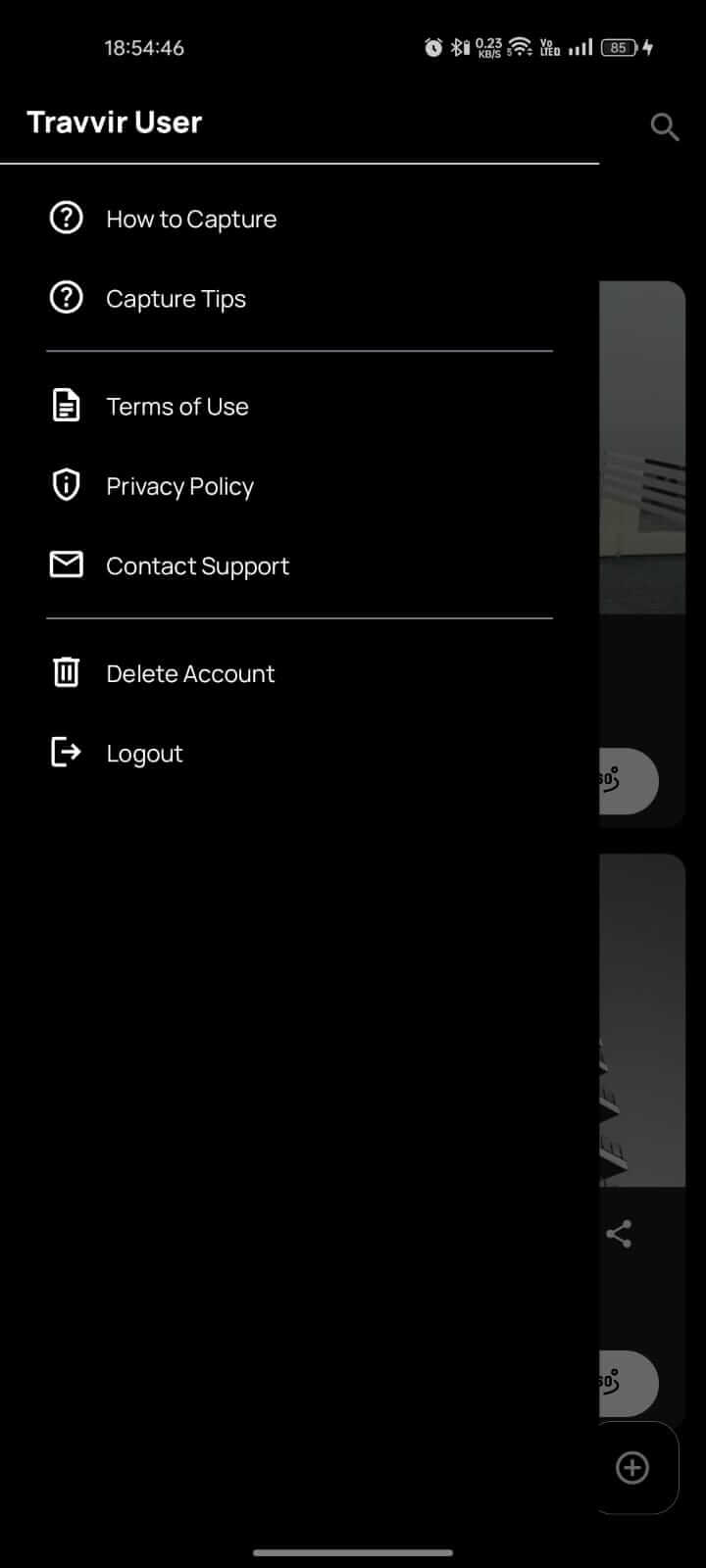
- Scroll down and tap on "Delete Account" from the menu.
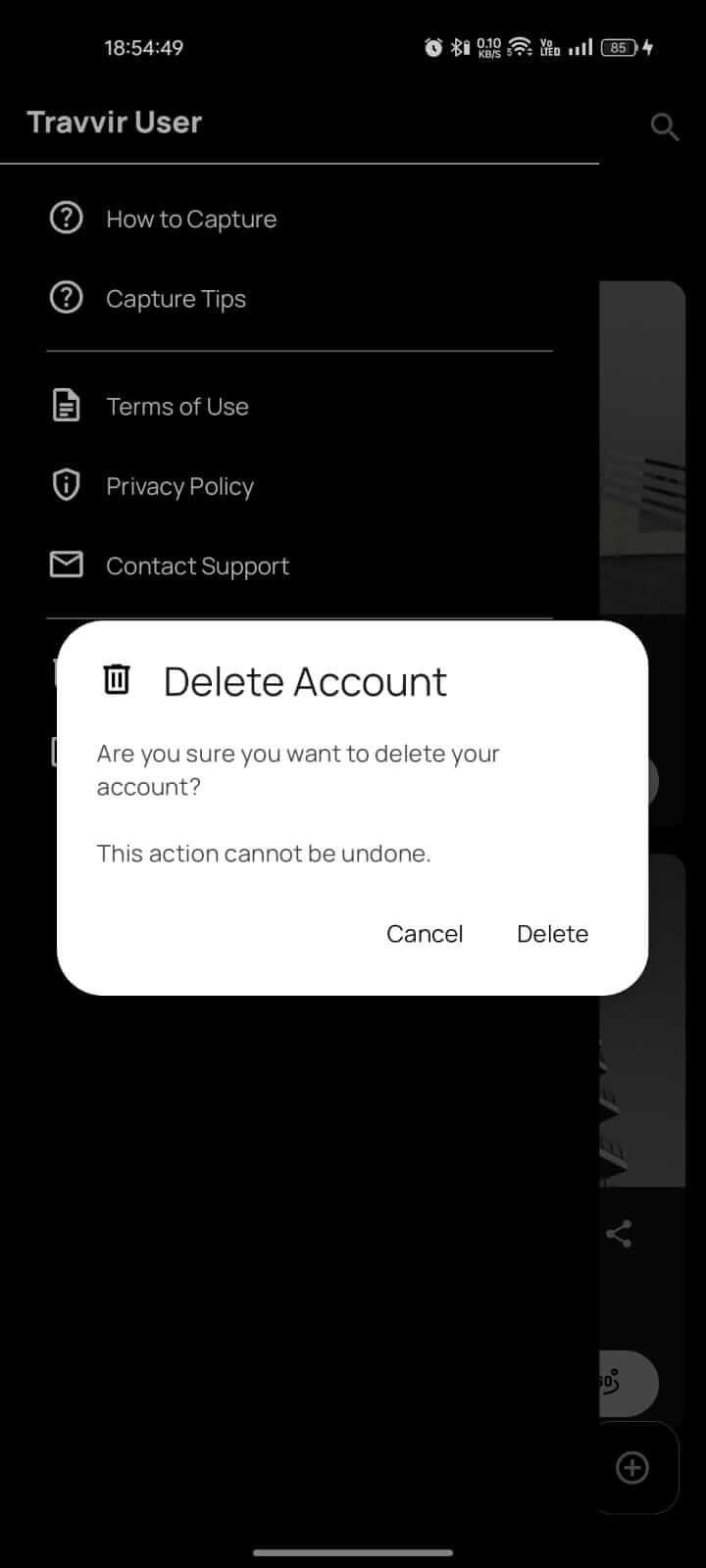
- A confirmation dialog will appear. Tap "Delete" to confirm and permanently delete your account.
⚠️ Important
Once you initiate account deletion, your account and all related data will be deleted after 14 days. If you change your mind, you can log back in within this period to cancel the deletion process.
Download Travvir & Start Creating


