

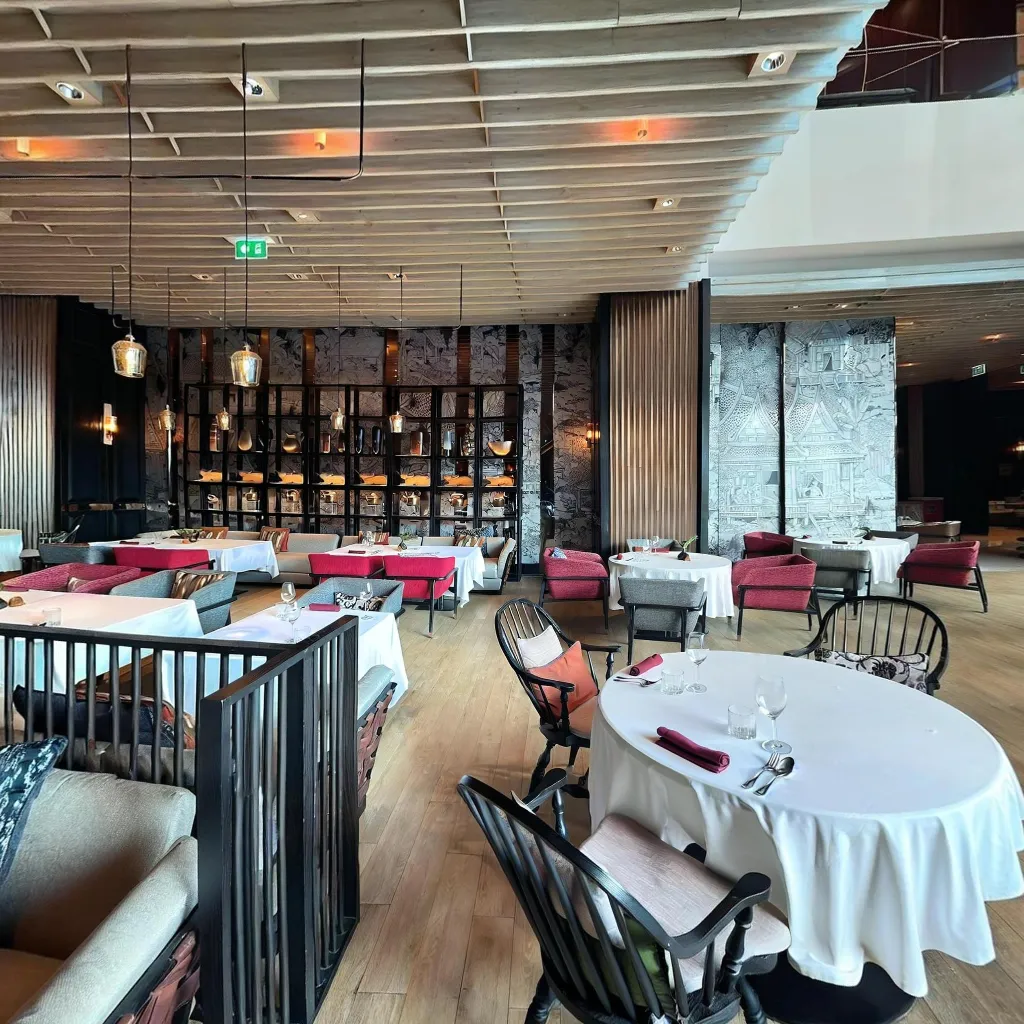
Retail virtual tours created with smartphone apps are transforming how customers discover and engage with physical stores. Retailers using virtual tours see 52% longer website engagement and 38% higher walk-in traffic. This guide shows retail store owners and showroom managers how to create compelling virtual tours that drive foot traffic and sales.
Why Retail Virtual Tours Matter
The Modern Shopping Journey
Today's shoppers research extensively before visiting stores, fundamentally changing how retail marketing must work. Research shows that 78% of shoppers now explore stores online before making the trip to visit in person, treating online research as an essential first step. Retail virtual tours have proven to increase foot traffic by a substantial 35-40% by giving shoppers the confidence to visit. When shoppers conduct online product research, it converts to in-store purchases an impressive 65% of the time, demonstrating the power of informed browsing. Most importantly, virtual tours qualify serious shoppers by filtering out casual browsers, which improves overall sales conversion rates when customers do visit.
Competitive Advantages
Virtual tours provide multiple competitive advantages in today's retail landscape. They help retailers stand out in Google Maps where virtual tours significantly boost local SEO rankings and visibility. Tours effectively showcase unique atmosphere and in-store experience that differentiate physical retailers from online-only competitors. They build shopping confidence by reducing uncertainty about visiting, making customers more comfortable committing their time. Finally, tours extend your reach by attracting customers from a wider geographic area who feel confident traveling farther after virtually exploring your store.
Retail Virtual Tour Strategy by Store Type
Fashion and Apparel Retail
Key areas to capture:
Fashion and apparel retailers should focus on specific areas that drive purchasing decisions. The storefront and entrance should showcase impressive window displays and clear brand identity that draws customers in. The main shopping floor needs to demonstrate layout, merchandise density, and the overall browsing experience customers can expect. Fitting rooms are critical to show, demonstrating privacy levels, spaciousness, and high-quality lighting that makes trying on clothes comfortable. Featured collections including seasonal displays and new arrivals should be prominently highlighted to drive interest in current inventory. Finally, the checkout area should convey a seamless, professional transaction experience.
Strategic emphasis:
Timing and presentation strategy maximize the impact of fashion retail tours. Capture during well-merchandised periods immediately after major resets when everything looks fresh and organized. Show the variety and organization of your inventory to demonstrate selection without overwhelming viewers. Highlight your brand aesthetic and unique shopping atmosphere that differentiates you from competitors. Include comfortable seating areas for companions and partners who accompany primary shoppers, showing you've thought through the complete shopping experience.
Home Goods and Furniture Showrooms
Essential captures:
Home goods and furniture showrooms require comprehensive coverage of styled spaces. Vignettes and room displays should be captured from multiple angles showing professional styling and how products work together in real settings. Multiple floor levels need complete coverage if your showroom spans different floors, ensuring customers understand the full scope of inventory. Scale references are critical to help customers visualize furniture sizes in their own spaces and avoid disappointment. Material samples areas should clearly show available fabric choices, finish options, and customization possibilities. Finally, design consultation spaces demonstrate value-added service offerings that elevate the shopping experience.
Photography tips:
Furniture showroom photography requires specific techniques for best results. Shoot from multiple angles to show room setups completely, allowing customers to understand the full spatial layout and how pieces relate to each other. Ensure all price tags and signage remain clean, visible, and professionally presented in every shot. Capture during the best natural lighting hours when sunlight enhances wood tones and fabric textures without creating harsh shadows. Show clear pathways between displays so customers understand traffic flow and can mentally navigate your showroom before visiting.
Specialty and Boutique Stores
For jewelry, gifts, cosmetics, and art galleries, the focus shifts to intimacy and curation. Capture the intimate atmosphere showing unique ambiance and thoughtful design that creates a special shopping experience. Showcase product displays that demonstrate your curation philosophy and presentation style. Feature interactive areas including testers, try-on spaces, and consultation areas that invite engagement. Use tours for brand storytelling that communicates what makes your store unique and worth visiting. Finally, highlight personalized service areas where one-on-one shopping assistance happens, differentiating from big-box retailers.
Automotive Showrooms
Showroom coverage:
Automotive showrooms require comprehensive coverage that builds trust and showcases professionalism. The exterior and entrance create crucial professional first impressions that set customer expectations. The main showroom floor should display vehicle inventory and demonstrate how vehicles are presented to customers. Individual vehicle stations need close-up captures of featured models highlighting details and premium features. The customer lounge should showcase comfort amenities available while customers browse and make decisions. Finally, sales offices demonstrate professional consultation spaces where serious discussions and negotiations occur.
Special considerations:
Automotive virtual tours require careful coordination and attention to detail. Coordinate shoot timing when specific models you want to feature are available and properly positioned. Ensure vehicles are impeccably clean and professionally presented, as any dirt or disarray undermines the premium image. Show the service department if you want to highlight full-service dealership capabilities and ongoing customer support. Finally, capture financing and trade-in areas to demonstrate the complete, convenient customer experience from selection through purchase.
Creating Professional Retail Virtual Tours
Pre-Shoot Preparation
Store Optimization (2-3 hours before shoot):
Preparation makes the critical difference between amateur and professional results. Conduct a deep clean of all floors, windows, displays, and checkout counters so every surface sparkles. Complete a merchandising refresh by facing products forward, straightening displays, and restocking empty spots. Remove clutter including stock boxes, cleaning supplies, and employee items that detract from the customer-facing presentation. Perform a thorough lighting check ensuring all fixtures work properly and bulbs match in color temperature. Finally, conduct a signage audit to verify current promotions are displayed and no outdated pricing remains visible.
Optimal Shooting Times
Timing significantly impacts both quality and ease of virtual tour creation. The ideal approach is shooting before opening when the store is empty and you have no customer interruptions, allowing perfect control. If pre-opening isn't possible, target slow periods like weekday mornings when minimal customer traffic minimizes disruptions. Avoid peak shopping times, active restocking periods, and the chaotic period immediately after opening when staff is still settling in. For stores with significant windows, schedule during natural light hours in mid-morning when sunlight complements interior lighting without creating harsh contrasts.
Shooting Technique for Retail
Main floor captures: When shooting main retail floor areas, position yourself in center aisles showing multiple departments to give a comprehensive view. Maintain chest height to provide a natural shopping perspective that mirrors how customers actually experience the space. Capture from key decision points such as the store entrance and department entries where customers make choices about where to go next. Show depth in your images by including foreground, mid-ground, and background merchandise to create a sense of space and inventory variety.
Display and vignette shots: When capturing displays and styled vignettes, stand back far enough to show the entire display context rather than zooming in too close. Capture multiple angles of feature presentations to give viewers a complete understanding of merchandising. Include signage and pricing information that customers need to make informed decisions. Show product variety within categories so viewers understand the breadth of selection available in each department.
Navigation Strategy
Create an intuitive shopping journey that mimics how customers naturally move through your store. Start with an entrance welcome where the first scene sets the tone and clearly shows the overall store layout. Move through department progression in a logical flow that guides viewers through store sections in a natural sequence. Highlight featured areas including new arrivals, seasonal displays, and sale sections that deserve special attention. Include service areas such as checkout, customer service desks, and fitting rooms to show the complete customer experience. Finally, create a return to entrance to close the loop, allowing viewers to easily re-explore sections they want to see again.
Enhancing Retail Virtual Tours
Strategic Information Hotspots
Add value to your retail virtual tour without overwhelming viewers with too much information. Include department labels such as "Women's Fashion," "Home Decor," or "Electronics" to help viewers navigate efficiently. Highlight featured products by calling attention to new arrivals or bestsellers that deserve special notice. Promote current promotions with clear indicators for "Sale Section" or "BOGO Offers" to drive traffic to promotional areas. Add service callouts for amenities like "Free Gift Wrapping" or "Personal Shopping Available" that differentiate your store. Include store hours and policies covering returns, special services, and other important operational information customers need.
Seasonal Updates Strategy
Keep tours current and relevant with strategic updates throughout the year. Plan quarterly updates to capture major seasonal changes such as holidays, back-to-school, and summer merchandise. Update immediately after remodels to showcase improvements and new layouts while they're fresh. Refresh for new product lines when introducing major brands or collections that change your store's appeal. Create special captures for event promotions during major sale events that create urgency and drive traffic.
Branding Integration
Professional branding elevates your tour without being distracting. Add subtle logo placement with a corner watermark that identifies your brand without overwhelming the viewing experience. Use brand colors in navigation elements to match your brand palette and reinforce brand identity. Include a welcome message with an optional intro screen displaying your store name and tagline. Add contact information in the final scene showing your location, hours, and phone number for easy reference.
Marketing Your Retail Virtual Tour
Google My Business Integration
Critical for local SEO and discovery: Google My Business integration is perhaps the most important distribution channel for retail virtual tours. Upload as Street View to make your tour appear directly in Google Maps when customers search for your location. Photo integration allows you to extract still images from the tour for your photo gallery to enhance your profile. Add the virtual tour URL to your GMB listing for direct access from your business profile. The visibility boost is substantial, as businesses with tours get 2x more profile views than those without, dramatically increasing local discovery.
Website Implementation
Strategic placement: Thoughtful website placement maximizes the impact of your virtual tour investment. On your homepage hero, feature a prominent "Explore Our Store Virtually" call-to-action that captures immediate attention. Create a dedicated About/Location page with a full embedded tour experience for interested visitors to explore deeply. Link from product pages to relevant store sections so customers can see where specific items are located in your physical store. For multi-location retailers, include each location's tour on your store locator page to help customers choose which location to visit.
Social Media Strategy
Instagram: Leverage Instagram's visual platform to drive tour traffic. Post Stories showing behind-the-scenes content of creating the tour to build interest and authenticity. Share regular Posts highlighting specific departments or displays with tour links in captions. Create Reels with quick walkthroughs directing followers to the full tour for comprehensive exploration. Add the virtual tour link prominently in your bio for easy access from any post.
Facebook: Use Facebook's diverse content formats to promote your virtual tour. Create a Photo album with screenshots from the tour accompanied by the full tour link. Post Video content with animated tour previews that entice viewers to explore more. Include tours in Event promotions with messages like "Couldn't make it? Explore virtually" for customers who missed in-person events. Share in Local community groups as a valuable resource for residents interested in local shopping options.
Email Marketing
Use email campaigns strategically to drive virtual tour engagement from your existing customer base. Send new customer welcome emails with "Get to Know Our Store" messaging that introduces first-time visitors to your layout and offerings. Include tours in seasonal campaigns with themes like "See Our Holiday Collection In-Store" that drive both online and physical traffic. Announce grand openings or remodels with virtual tour reveals that build excitement for changes. Re-engage lapsed customers with "See What's New" messaging highlighting updates they haven't seen since their last visit.
Retail Virtual Tour ROI
Measurable Business Impact
Track these critical metrics to understand your virtual tour's ROI and effectiveness. Website engagement increases dramatically, with time on site rising 40-60% when visitors explore virtual tours. Store visits increase by 35-40% as confident shoppers make the trip after virtually previewing your space. Purchase conversion improves as virtual tour viewers convert at 25% higher rates than those who haven't seen the tour. Average transaction size grows by 15-20% as pre-educated shoppers arrive knowing what they want and spend more per visit. Google Maps engagement doubles with profile views increasing dramatically after adding virtual tour functionality.
Cost Comparison
Professional photographer: Traditional professional photography comes with substantial costs. Initial shoot ranges from $500-1,500 depending on store size and complexity. Seasonal updates cost $300-800 each time you need to refresh content. Annual costs total $1,500-4,000 between initial and update shoots. The timeline is lengthy at 1-2 weeks for delivery of final processed files.
Smartphone app approach: The smartphone approach delivers dramatic cost savings and speed advantages. Initial tour creation costs just $30-80 for 15-20 scenes depending on store size. Seasonal updates are even more affordable at $20-40 each time you refresh content. Annual costs total only $100-200 covering initial creation and regular updates. The timeline is immediate as you can create and publish the same day. Total savings of $1,400-3,800 annually make the smartphone approach dramatically more cost-effective for most retailers.
Advanced Retail Virtual Tour Features
Interactive Product Highlights
Advanced interactivity can transform your virtual tour into a shopping tool. Click-to-shop integration allows hotspots to link directly to online product pages for seamless cross-channel shopping. Price displays show pricing for featured items, though these require regular updates to maintain accuracy. Inventory indicators communicate availability with messages like "In Stock" or "Limited Quantity" to create urgency. Product details expand to show additional information on premium items that deserve special attention and explanation.
Multi-Location Virtual Tours
For retail chains with multiple locations, consistent yet customized tours work best. Create a tour template with consistent navigation structure so customers know what to expect across locations. Shoot all locations following the same pattern for brand consistency and ease of creation. Implement location-specific customization showcasing local staff and community features that make each location unique. Use centralized management for updates and maintenance to efficiently keep all location tours current and accurate.
Event and Promotion Overlays
Dynamic content keeps tours relevant without requiring complete reshoots. Add temporary promotional banners with messages like "Spring Sale Happening Now" that can be updated digitally. Include event announcements such as "Join Us for Grand Opening Saturday" to drive traffic to special occasions. Layer seasonal messaging that updates without reshooting the entire tour, saving time and money. Create time-sensitive offers that add urgency to drive immediate store visits rather than delayed consideration.
Common Retail Virtual Tour Challenges
Challenge: Customers in Store During Shoot
Solutions: The ideal solution is scheduling shoots before or after hours when the store is empty and fully prepared. If that's not possible, use slow periods with minimal traffic to reduce customer disruptions. You can politely ask customers to step aside temporarily, as most understand and cooperate. Some retailers choose to include customers in shots to show active shopping and create an authentic atmosphere, though this limits control over the final appearance.
Challenge: Frequent Inventory Changes
Solutions: Focus on store layout and atmosphere rather than specific products that will change regularly. Shoot permanent fixtures and displays prominently as they provide lasting value in the tour. Plan quarterly updates during major merchandising resets when significant changes occur. Use hotspots for changeable information rather than baking details into the images themselves, allowing updates without reshooting.
Challenge: Small Store Space
Solutions: Small stores require special shooting techniques to maximize apparent space. Shoot from corners to maximize visible space and create depth in confined areas. Use strategic positioning to show depth and dimension rather than making spaces appear cramped. Multiple capture points create comprehensive coverage despite limited square footage. Highlight vertical space including shelving and wall displays to showcase inventory without requiring floor space.
Implementation Timeline
Week 1: Preparation and Initial Shoot
The first week focuses on preparation and creating your initial tour. Start by downloading the Travvir app and testing on practice scenes to build familiarity. Schedule your shoot during optimal times, with before-hours being ideal for empty store conditions. Complete thorough store preparation and merchandising to ensure everything looks perfect. Shoot main store areas and all key departments systematically for comprehensive coverage. Create a basic navigation structure that connects scenes in a logical flow matching how customers shop.
Week 2: Enhancement and Launch
The second week involves enhancing and launching your tour. Add information hotspots for featured areas that deserve special attention or explanation. Integrate your branding and contact information throughout the tour for professional polish. Test navigation flow and viewing experience on multiple devices to ensure quality. Upload to Google Street View to gain local search visibility and discovery. Embed on your website and share across social media channels to maximize initial exposure and engagement.
Ongoing: Marketing and Updates
Long-term success requires consistent marketing and maintenance. Monthly, promote your tour in email and social campaigns to drive continued engagement. Quarterly, review and update the tour for seasonal changes, new inventory, and merchandising shifts. Annually, complete a full refresh to maintain current appearance and reflect any remodeling or significant changes. Throughout the year, track foot traffic and conversion metrics to measure ROI and demonstrate value.
Success Metrics and Optimization
Analytics to Monitor
Comprehensive analytics help you understand tour performance and optimize over time. Track virtual tour views monitoring both total and unique viewers to understand reach and interest. Measure average viewing time as longer engagement indicates genuine interest and thorough exploration. Analyze hotspot clicks to learn which features attract the most attention and interest. Study geographic source data to understand where your viewers are located and whether you're reaching your target market. Monitor conversion to visits by tracking "Get Directions" clicks that indicate intent to physically visit your store.
Continuous Improvement
Ongoing optimization ensures your tour delivers maximum value over time. Survey customers who mention seeing the virtual tour to gather qualitative feedback and insights. Test different starting points to optimize engagement and find the most compelling entry into your store. Experiment with hotspot placement and messaging to improve click-through rates and information absorption. Update based on seasonal performance patterns you observe throughout the year to maximize relevance and impact.
Download Travvir & Start Creating


