

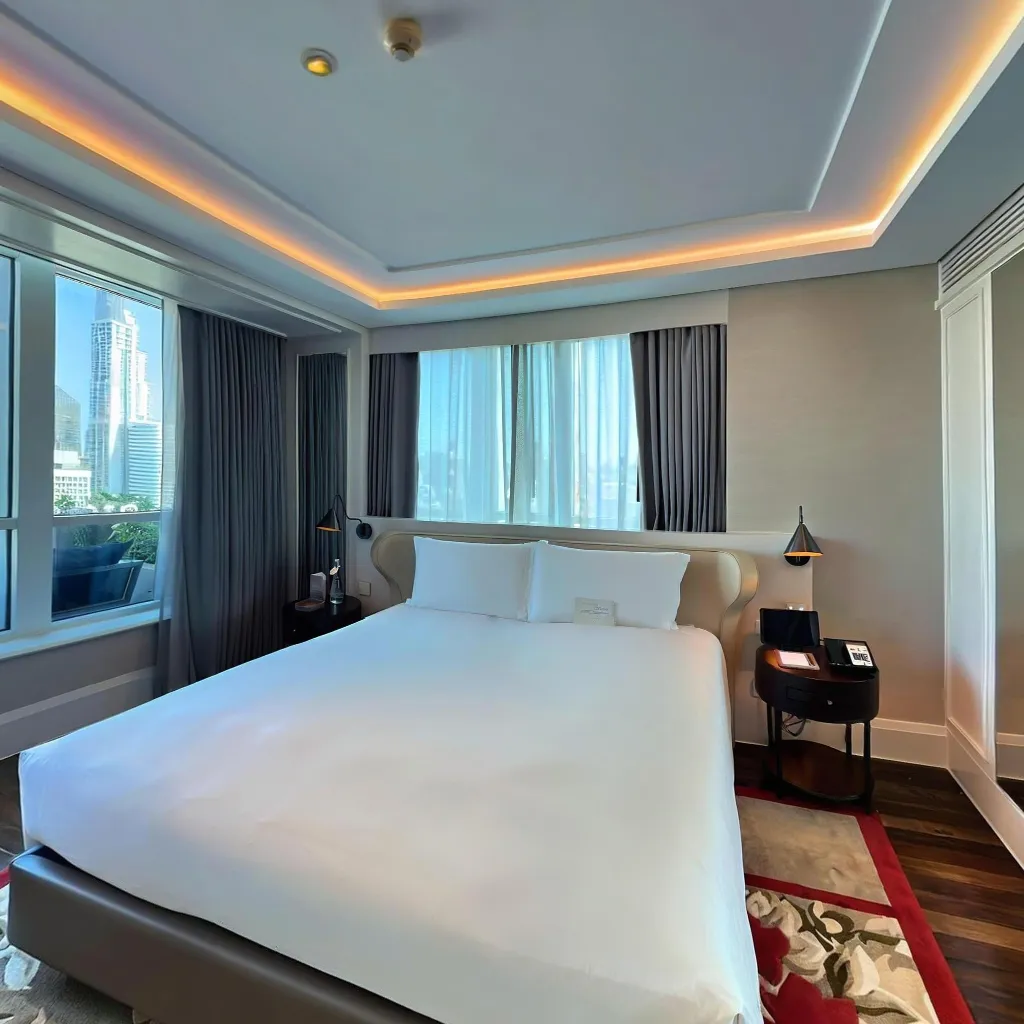
Many people confuse smartphone panoramas with 360 virtual tours, but they're fundamentally different technologies with distinct use cases. Understanding these differences helps you choose the right solution for your needs and set proper expectations for your projects.
What is a Smartphone Panorama?
A panorama is a wide-angle photograph that captures a horizontal sweep of a scene. Your smartphone's panorama mode stitches together a series of photos as you pan from left to right (or up and down).
Key Characteristics of Panoramas
Panoramas have a fixed viewing angle where you see a stretched rectangular image rather than an interactive experience. They offer 180-240° horizontal coverage, which means they don't capture a full 360-degree view. The viewing experience is static, like looking at a wide photograph on your wall rather than being able to look around freely. Panoramas exist on a single plane with no ability to look up, down, or behind the frame. They use traditional photo formats like JPG or PNG files that work with standard photo viewing software.
Best Uses for Panoramas
Panoramas work best for landscape photography featuring mountains, cityscapes, and sweeping vistas. They're ideal for group photos with many people who won't fit in a standard frame, and for capturing architectural facades that showcase building exteriors. Panoramas are perfect for social media posts and profile covers, and they work well for print photography and framing when you want a dramatic wall display.
What is a 360 Virtual Tour?
A 360 virtual tour provides complete spherical coverage—you can look in every direction including straight up and down. It's an interactive experience where viewers control their perspective.
Key Characteristics of 360 Tours
360 tours provide full spherical coverage with complete 360° horizontal and vertical viewing capabilities. They feature interactive navigation where viewers control what they see and where they look. Tours can include multiple connected scenes that allow movement between different locations within the space. The experience is truly immersive, making you feel like you're physically present in the location. These tours use a special file format that requires viewer software or a web player to display properly.
Best Uses for 360 Virtual Tours
360 virtual tours excel for real estate property showcases where buyers need to explore spaces thoroughly. They're perfect for hotel and venue walkthroughs that help guests visualize accommodations and event spaces. Retail store experiences benefit from virtual tours that let customers browse layouts before visiting. Museum and gallery exhibitions can be preserved and shared through immersive tours. Event space previews help planners evaluate venues remotely and make informed booking decisions.
Side-by-Side Comparison
Coverage and Viewing
Panorama: Panoramas offer a horizontal sweep only, typically covering 180-240 degrees. The viewing experience uses a fixed frame where the viewer sees the entire image at once without ability to control their perspective. There's no vertical exploration capability, meaning you cannot look up or down beyond what's captured in the single plane.
360 Virtual Tour: Virtual tours provide complete spherical coverage spanning 360 degrees in all directions. The viewer has full control over their perspective and direction, able to look anywhere they choose. The experience includes the full vertical range from floor to ceiling, creating a truly comprehensive view of the space.
Creation Process
Panorama: Creating panoramas uses the built-in smartphone camera mode that's available on virtually every modern phone. The creation is instant with no processing time required after capture. The technique involves simple left-to-right or up-down movement while holding your phone. The entire capture process takes just 10-30 seconds from start to finish.
360 Virtual Tour: Virtual tours require a specialized app like Travvir to capture and process the images properly. AI processing is needed after capture, typically taking 2-5 minutes per scene. The capture requires a systematic pattern to ensure complete coverage of the space. Each scene takes approximately 3-5 minutes to capture, including positioning and shooting all necessary angles.
Viewing Experience
Panorama: Panoramas are viewed like any photo in your gallery app, requiring no special software or viewer. You simply scroll or swipe to see the full width of the image. Panoramas work universally on all devices without compatibility issues. They can be printed or framed just like traditional photographs for physical display.
360 Virtual Tour: Virtual tours require a web browser or VR headset to view properly and experience the full interactive features. The interaction involves dragging to look around in any direction and clicking hotspots to navigate between scenes. Tours provide an immersive, explorable environment that mimics being physically present. Unlike panoramas, they cannot be traditionally printed due to their interactive, spherical nature.
File Size and Hosting
Panorama: Panoramas have a small file size, typically ranging from 2-10 MB making them easy to store and share. They can be hosted anywhere images are supported, from social media to personal websites. The small size makes them easy to email or text directly to others. There are no special hosting requirements beyond basic image support.
360 Virtual Tour: Virtual tours have larger files, typically ranging from 20-100 MB per complete tour. They require specialized hosting platforms designed for interactive 360 content. Tours can only be shared via link rather than directly as file attachments. Websites need embed code to display virtual tours properly within their pages.
When to Use Each Option
Choose Panorama When:
Panoramas are the right choice when you need quick, simple wide-angle shots without complicated setup. They're ideal for sharing on social media platforms where the format is widely supported and easy to display. Choose panoramas when you want something that works like regular photos with familiar viewing and sharing methods. They're perfect when you don't need interactivity and a static image will convey your message. Budget-conscious users will appreciate that panoramas are completely free as a built-in smartphone feature.
Choose 360 Virtual Tour When:
Virtual tours are essential when selling or marketing properties and spaces where comprehensive visualization is crucial. Use them when you want to provide immersive experiences that allow viewers to explore at their own pace. They're ideal when you need viewers to explore independently without requiring a guided tour or explanation. Virtual tours work best for showcasing multiple connected rooms where understanding spatial relationships matters. Professional presentation is important when differentiating yourself in competitive markets or creating premium impressions.
Quality and Professional Impact
Panorama Limitations
While useful, panoramas have significant restrictions that limit their effectiveness for professional applications. Distortion issues are common, with objects at the edges appearing unnaturally stretched and warped. The lack of complete context means viewers can't see what's above, below, or behind the frame, leaving significant gaps in spatial understanding. Panoramas feel less impressive to modern viewers who have seen countless similar images and no longer find them particularly novel or engaging. Limited engagement is another challenge, as people typically glance at panoramas briefly and move on without deeper exploration or extended viewing time.
Virtual Tour Advantages
360 tours deliver superior results for business use across multiple dimensions. Complete transparency builds trust as viewers can see everything without hidden angles or selective framing. Higher engagement is measurable, with viewers spending an average of 5 times longer exploring virtual tours compared to photo galleries. Professional credibility increases as virtual tours demonstrate investment in quality presentation and customer experience. Most importantly, better conversions result from qualified leads who have thoroughly explored the space and arrive with realistic expectations and genuine interest.
Cost Comparison
Panorama Costs
Creation costs are $0 as the feature is built into your phone. Hosting costs are also $0 since any photo storage service will work. The total investment required is free, making panoramas accessible to anyone with a smartphone.
360 Virtual Tour Costs
App download is $0, and with Travvir you receive $100 in welcome credits included to get started. Small property tours start at just $20 for basic coverage. Medium and larger properties have custom pricing based on the number of scenes needed. Hosting is included in the app service, so there are no additional hosting fees.
ROI Perspective: The small investment in virtual tours typically pays for itself with a single additional booking or sale.
Technical Differences That Matter
Image Quality
Panoramas: Panoramas often show visible stitching errors where individual photos don't align perfectly. Moving objects can create ghost effects or duplicate images across the frame. Exposure levels can vary across the frame as lighting conditions change during capture, creating an uneven appearance.
360 Tours: AI-corrected stitching creates virtually seamless results with no visible seams or alignment issues. Exposure remains consistent throughout the entire spherical image thanks to intelligent processing. Higher resolution is possible compared to panoramas, delivering sharper, more detailed final images.
Interactivity Features
Panoramas: Panoramas offer zero interactivity beyond basic zooming in and out. There are no additional information layers that can be added to provide context or details. You cannot add navigation or hotspots to connect multiple panoramas or provide supplemental information.
360 Tours: Virtual tours allow navigation between multiple scenes, creating connected walkthrough experiences. You can add information hotspots throughout the tour to provide context and details. Tours support embedded audio, video, or text to enhance the experience. Calls-to-action can be embedded directly within the tour to drive specific user actions. Viewer analytics tracking shows which areas receive the most attention and how users navigate through the space.
Industry Standards and Expectations
What Customers Expect Today
Consumer expectations have evolved significantly in recent years. In real estate, virtual tours are now considered standard practice, and panoramas look outdated and insufficient for serious property marketing. For hospitality, hotels using panoramas appear low-budget and behind the times compared to competitors offering immersive tours. In the retail sector, immersive experiences drive online engagement and help customers decide whether to visit in person. For events and venues, full walkthroughs have become necessary for bookings as clients need to thoroughly understand spaces before committing.
The Hybrid Approach
Some businesses successfully use both technologies strategically for different purposes. Panoramas work well for social media as quick teasers and posts that generate interest and engagement. 360 tours serve serious prospects on websites and in formal listings where comprehensive information is needed for decision-making. Panoramas excel for outdoor views including landscapes and exterior shots where the wide format showcases scenery effectively. 360 tours are better for interior spaces where immersion and complete spatial understanding matter most for customer decisions.
Making Your Choice
Consider these key questions when deciding between panoramas and virtual tours. First, what's your goal? Determine whether you need a casual social post or serious marketing content. Second, who's your audience? Consider whether you're targeting casual browsers or qualified buyers ready to make decisions. Third, what's your budget? Decide between a free quick solution and a small investment that delivers better results. Finally, how important is engagement? Evaluate whether you need a quick glance or thorough exploration to achieve your objectives.
For professional business use, 360 virtual tours offer dramatically better results for a minimal investment. For casual personal use, panoramas provide a free, simple option.
The Future is Interactive
As technology advances and consumer expectations rise, interactive 360 experiences are becoming the baseline standard. Panoramas, while still useful for certain applications, are increasingly seen as basic rather than impressive.
Investing in 360 virtual tour capabilities now positions your business ahead of competitors still relying on static panoramas.
Download Travvir & Start Creating


