

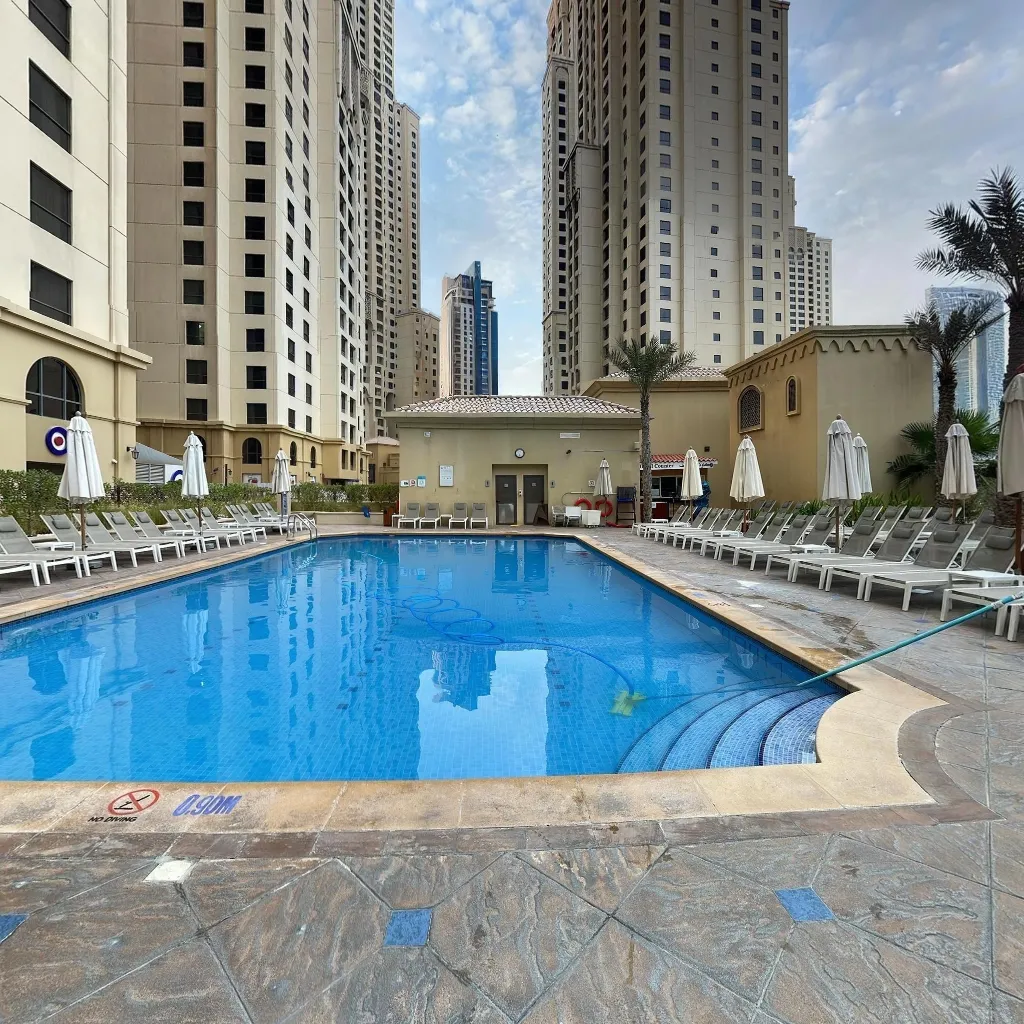
A 360 virtual tour is an interactive, digital walkthrough of a physical space built from spherical photographs that let viewers look in every direction — left, right, up, and down — from multiple connected vantage points. Unlike a video or a static photo gallery, the viewer is in complete control: they choose what to look at, how long to spend in each area, and which path to follow through the space.
The technology that once required a $50,000 Matterport rig and a professional photographer can now be produced on any modern smartphone in under an hour. In 2026, 360 virtual tours drive measurable results across real estate, hospitality, retail, healthcare, and fitness — with properties listing a virtual tour selling 31% faster, hotels seeing a 129% increase in direct bookings, and Google Business Profiles with 360 content receiving 2× more customer engagement.
This pillar guide covers everything: what 360 virtual tours are, how they work technically, how to create one with a smartphone, where to publish for maximum reach, and how specific industries use them to generate revenue. Every section links to a deeper specialist article if you want to go further.
Chapter 1: What Is a 360 Virtual Tour?
The Core Technology
At its most fundamental, a 360 virtual tour is a collection of equirectangular photographs — spherical images that capture 360° horizontally and 180° vertically from a single point — connected by interactive navigation hotspots. Each photograph records the complete visual environment around the camera: every wall, floor, ceiling, and object in every direction.
These images are displayed inside a WebGL-powered viewer that re-projects the flat equirectangular file onto a virtual sphere, placing the viewer at the centre. The result is an experience that feels like standing in the space: drag or swipe to look around, tap a hotspot to move to the next position, pinch to zoom into details.
For a complete technical explanation of the underlying image format, how equirectangular projection works, and the difference between 360 photos, panoramas, and VR content, read our deep-dive: What Is a 360 Photo? Complete Explanation.
360 Virtual Tours vs Other Formats
The virtual tour landscape includes several related but distinct formats. Understanding the differences prevents overspending on technology you don't need or under-investing in a format that would serve you better.
360 Virtual Tour vs Video Walkthrough: A video walkthrough is a cinematically filmed linear video — the viewer watches but cannot control the direction, pace, or areas explored. 360 tours outperform video in viewer engagement (3–8 minutes average session vs 90 seconds for video) and buyer trust, because the viewer can inspect any area including corners the videographer might avoid. Full comparison: 360 Tour vs Video Walkthrough.
360 Virtual Tour vs 3D Spatial Scan (Matterport): Matterport creates a 3D mesh model with dollhouse and floor plan views — a different technology requiring specialised hardware (£3,000–£5,000+) and ongoing subscriptions. For most residential, hospitality, and business applications, standard 360 tours deliver equivalent engagement at a fraction of the cost. Full comparison: Matterport vs 360 Virtual Tour and 3D vs 360 Virtual Tour.
360 Photo vs Standard Panorama: A panoramic photo is a wide-angle flat image. A 360 photo is a complete sphere. You can print a panorama and hang it on a wall; a 360 photo wraps around you in every direction. Detailed breakdown: Smartphone Panorama vs 360 Virtual Tour.
Chapter 2: Equipment — Do You Need a 360 Camera?
Smartphone vs Dedicated 360 Camera vs DSLR
The short answer: you do not need a dedicated 360 camera. Modern smartphones running apps like Travvir produce 360 images at 8,000–10,000 pixels wide — matching or exceeding entry-level dedicated cameras (Ricoh Theta SC2, Insta360 One RS) for well-lit interior applications. The output from a high-end phone (iPhone 15 Pro, Samsung S24 Ultra, Pixel 8 Pro) is indistinguishable from a £300 dedicated camera on standard virtual tour platforms.
Dedicated 360 cameras have advantages in speed (single-press capture vs 30–90 seconds guided rotation) and moving subjects (simultaneous dual-lens capture eliminates motion ghosting). DSLR-based 360 workflows achieve the highest possible quality ceiling but require £3,000– £7,000 in equipment, manual stitching in PTGui, and significantly more time.
Decision framework: Start with your existing smartphone. Move to a dedicated 360 camera only if you're shooting 5+ properties per week and the time savings justify the investment. Move to DSLR-based workflows only for luxury properties above £2M where the maximum quality ceiling matters.
Detailed guides: Do You Need a 360 Camera? · 360 Camera vs DSLR for Real Estate
Best 360 Camera Apps
If you're using a smartphone, the app determines the quality of your output more than the phone hardware itself. The stitching algorithm, capture guidance UI, and post-processing pipeline vary significantly between apps.
Travvir leads in stitching quality and ease of use for both Android and iOS, with guided capture overlays that ensure complete coverage and AI-powered alignment. Google Street View app offers basic free 360 capture. Insta360 and Kuula provide companion apps for their respective platforms.
Full app comparisons: Best 360 Camera App for Android · Best 360 Camera App for iPhone · Best Smartphone Virtual Tour App
Chapter 3: How to Create a 360 Virtual Tour
Step 1: Prepare the Space
The quality of your virtual tour is determined before you take a single photo. Preparation directly affects the final result:
Declutter ruthlessly. Remove personal items, excess furniture, and anything that distracts from the space itself. For real estate, staging guidelines apply. For businesses, clear counters, organise displays, and ensure the space looks its operational best.
Lighting is critical. Turn on all interior lights. Close blinds on windows with direct sunlight (to reduce contrast between interior and exterior). Avoid shooting during extreme natural light conditions — the best interior results come from overcast daylight supplemented by artificial lighting. Lock your phone's exposure manually to prevent brightness shifts between frames.
Plan your shooting positions. Walk through the space and mark where you'll capture from. Each position should provide a clear, complete view of an area. Positions should be 2–4 metres apart and follow a natural walking path through the space.
Step 2: Capture with Your Smartphone
Mount your phone on a tripod at 1.5–1.7 metres height (standing eye level). Open Travvir and select 360° capture mode. The app displays a spherical overlay showing required capture zones. Rotate slowly — approximately one frame every 2–3 seconds, moving 15–20° per step. Always rotate around the camera lens axis, not your body, to minimise parallax error.
Critical technique rules: Use a tripod (hand-held capture introduces blur). Lock exposure before starting (auto-exposure changes create banding). Turn off HDR (it causes ghosting in multi-frame stitching). Clean the lens before every session.
Full technique guide: How to Shoot 360 Photos with Your Phone · How to Take 360 Photos on Your Smartphone
Step 3: Review and Fix Quality Issues
After stitching, review your 360 images for: visible stitch lines (rotate too fast → reshoot slower), exposure banding (auto-exposure changed → lock it), motion blur (camera shake → use tripod), ghosting on moving objects (people moved through frame → clear the space and reshoot).
Every blurry 360 photo has a specific technical cause with a clear fix. Detailed troubleshooting: Fix Blurry 360 Photos: 6 Causes & Solutions · 360 Photography Mistakes to Avoid · Common 360 Virtual Tour Mistakes
Step 4: Build the Tour
In Travvir, your captured 360 images are automatically assembled into a navigable tour with hotspot connections between positions. Review the navigation flow — ensure transitions feel natural and follow the path a visitor would take through the space. Set the starting position and initial viewing angle to show the most impressive first impression.
More creation walkthroughs: Create a Virtual Tour with Your Phone · 360 Virtual Tour Smartphone Guide · 360 Virtual Tour for Beginners
Step 5: Publish and Distribute
A finished tour needs to reach your audience across multiple channels. The primary distribution points are:
Your website: Embed via iFrame on your homepage, listing page, or location page. Use lazy loading and a responsive CSS wrapper for performance. Guide: Embed a 360 Virtual Tour on Your Website.
Google Business Profile: Upload 360 photos directly for the "See Inside" feature on Google Maps and local search results. Guide: Google Business Virtual Tour.
Property listing platforms: Add to MLS, Zillow, Rightmove, Realtor.com, and Airbnb. Guide: Add a Virtual Tour to Your Listing.
Social media: Facebook renders 360 photos interactively. Instagram requires a preview-crop strategy with links. YouTube supports 360 video. Guide: Share 360 Photos on Social Media.
Chapter 4: Technical Specifications — Resolution, File Size & Format
Why 360 Images Need Higher Resolution
A 360 viewer displays only a portion of the full image at any moment — roughly 25% of the width for a 90° field of view. This means a 360 photo needs 4× the resolution of an equivalent standard photo to look equally sharp. The practical minimum for acceptable quality is 6,000 × 3,000 pixels. The recommended standard is 8,192 × 4,096 pixels.
Platform Requirements at a Glance
Google Street View: Minimum 7.5 megapixels, recommended 8,192 × 4,096, JPEG with XMP photo sphere metadata. Facebook: Minimum 2,048 × 1,024, recommended 6,000 × 3,000, max 30 MB. Travvir: Recommended 8,192 × 4,096, auto-optimised delivery.
Always use JPEG at 85–92% quality. Do not use PNG for 360 images (100–400 MB file sizes with no visible quality improvement).
Full specification tables: 360 Virtual Tour Image Size & Resolution Guide
Chapter 5: Virtual Tour Software — Choosing the Right Platform
What to Evaluate in Virtual Tour Software
The platform you choose determines your tour's hosting, viewer quality, embedding options, analytics, and ongoing cost. Key evaluation criteria: pricing model (per tour vs subscription), iFrame embed support, Google Business Profile integration, mobile viewer quality (gyroscope support), branding/white-labelling options, and analytics dashboard.
Platform Landscape in 2026
Travvir: Smartphone-first platform with AI-powered stitching, guided capture, and built-in hosting. Free tier available; professional plans scale with usage. Strongest option for agents, hospitality, and small businesses who want a complete capture-to-publish workflow on their phone.
Matterport: Industry leader in 3D spatial scanning with dollhouse and floor plan views. Requires expensive hardware (Pro3: £5,000+) or LiDAR-equipped iPhone. Professional plans from £55/month. Best for luxury real estate and commercial applications requiring spatial measurements.
Kuula: Web-based 360 photo hosting and tour builder. Supports upload from any 360 camera or app. Good for photographers who want a simple hosting solution.
Google Street View: Free publishing to Google Maps. Best for local businesses wanting "See Inside" on their Google listing. Limited hosting and embedding for non-Google applications.
Full platform comparison with pricing and feature tables: Best Virtual Tour Software for Real Estate · Free Virtual Tour Creator Options · Real Estate Virtual Tour Cost Breakdown
Chapter 6: 360 Virtual Tours for Real Estate
The Impact on Sales Performance
Real estate is the largest single application of 360 virtual tour technology. The data is clear: properties with virtual tours sell 31% faster than comparable listings without. Buyers who view a 360 tour before visiting are 40% more likely to make an offer. Agents who provide virtual tours reduce wasted in-person viewings by pre-qualifying buyers who have already explored the property digitally.
The National Association of Realtors reports that 67% of home buyers want virtual tours in property listings, and that percentage continues to grow year over year. In competitive markets, virtual tours are shifting from "nice to have" to a baseline expectation.
Real Estate Implementation Guides
Detailed guides for every aspect of real estate 360 implementation:
360 Real Estate Photography Guide — room-by-room shooting strategy, pre-shoot checklist, and staging for 360.
Realtor Virtual Tour Strategy for 2026 — how agents should integrate virtual tours into their listing and marketing workflow.
Add a Virtual Tour to Your MLS Listing — step-by-step for CRMLS, BRIGHT, NTREIS, FMLS, Zillow, and Realtor.com.
Zillow 3D Tour vs 360 Virtual Tour — how Zillow's 3D Home product compares to standard 360 photography.
Virtual Tours vs Property Photos — the data on how interactive content outperforms static photography for listings.
Real Estate Virtual Tour with a Smartphone — agent-focused guide for DIY smartphone virtual tours.
Chapter 7: 360 Virtual Tours for Hotels & Airbnb
The Booking Conversion Impact
Hotels with virtual tours see a 129% increase in booking conversion rate — from 2.1% to 4.8%. Direct booking share increases from 34% to 62%, reducing OTA commission costs dramatically. Cancellation rates drop by 28% because guests have accurate visual expectations before arrival. For a 200-room hotel at 75% occupancy, the annual revenue impact of virtual tours exceeds $310,000.
For Airbnb hosts, 360 photography addresses the trust deficit that drives booking hesitation. Guests who can explore the actual space — not curated marketing shots — book with higher confidence and leave fewer negative reviews about "not as pictured" discrepancies.
Detailed hospitality guides: Hotel Virtual Tours: Data on Booking Increases · Airbnb Virtual Tour Guide · Hotel Virtual Tour with a Smartphone
Chapter 8: 360 Virtual Tours for Business & Local SEO
How 360 Content Improves Local Search Rankings
Google's local search algorithm ranks businesses based on Relevance, Distance, and Prominence. 360 photos directly boost the Prominence signal through multiple mechanisms: increased Google Business Profile engagement (42% more direction requests, 35% more website clicks), extended profile dwell time (3–5× longer), and higher click-through rates from local pack results.
Businesses with 360 content on their Google Business Profile appear significantly more often in local pack results. The engagement generated by 360 photos compounds over time — each interaction reinforces your prominence score, creating a durable competitive advantage in local search.
Local SEO deep-dive: How 360 Photos Improve Local SEO Rankings · Google Business Virtual Tour Setup
Industry-Specific Business Applications
Restaurants: 360 tours of the dining environment increase reservation rates by up to 38% from Google search. Guide: Restaurant Virtual Tour.
Gyms and fitness centres: Prospective members evaluate equipment quality, cleanliness, and space density — information that 360 photos convey authentically. Gyms with virtual tours see 30–45% higher trial conversion rates. Guide: Gym Virtual Tour.
Healthcare facilities: Virtual tours reduce first-visit anxiety and appointment no-shows by 25%. Particularly effective for dental clinics (36% of the population has dental anxiety), specialist practices, and hospital outpatient departments. Guide: Clinic & Hospital Virtual Tour.
Retail: Showroom tours extend website session duration and give customers a reason to visit in person. Guide: Retail Virtual Tour with Smartphone.
Chapter 9: Advanced 360 Photography Techniques
Lighting Mastery
Lighting is the single biggest determinant of 360 photo quality. Indoor 360 photography demands even illumination across the entire spherical capture — significantly harder than lighting a single frame. The core rules: turn on all interior lights, close blinds on windows with direct sun, lock exposure to prevent banding, and shoot on overcast days when possible for the most balanced natural light.
Reducing and Fixing Common Errors
The six causes of blurry 360 photos: camera shake (→ use tripod), moving subjects (→ clear the space), stitching misalignment (→ slow rotation, centre lens on rotation axis), low resolution output (→ max capture settings), low light noise (→ improve lighting or use HDR), dirty lens (→ clean before every session).
Advanced technique guides: 360 Photo Shooting Technique Guide · Fix Blurry 360 Photos · 360 Photography Mistakes to Avoid · 360 Image Resolution & Size Specs
Chapter 10: The Future — AI-Powered Virtual Tours
How AI Is Transforming 360 Photography
AI is already integrated into modern 360 tour creation: automatic exposure balancing across frames, intelligent stitching that handles complex scenes (reflections, repetitive patterns, low-texture surfaces), auto-enhancement of lighting and colour, and smart hotspot placement that creates optimal navigation paths through spaces.
The next generation of AI capabilities will include: real-time virtual staging (AI-generated furniture placed into empty rooms within the 360 viewer), automatic floor plan generation from 360 imagery, natural language interaction ("show me the kitchen"), and automated quality scoring that flags issues before publishing.
Forward-looking analysis: AI-Powered Virtual Tours · The Future of AI-Powered Virtual Tours · Are Smartphone Tours Replacing Cameras?
Getting Started: Your First 360 Virtual Tour in 60 Minutes
The Quick-Start Checklist
1. Download Travvir on your smartphone (iOS or Android). Free to start.
2. Prepare the space: Declutter, turn on all lights, close blinds on bright windows.
3. Set up a tripod at 1.5m height. Clean the phone lens.
4. Lock exposure on your phone camera (tap and hold on iPhone, Pro mode on Android).
5. Capture: Select 360° mode in Travvir. Follow the overlay guide. Rotate slowly. Capture from 3–5 positions in the space.
6. Review: Check for blur, stitch lines, or exposure banding. Reshoot any position with issues.
7. Publish: Share the Travvir tour link. Embed on your website. Upload 360 photos to Google Business Profile.
Total time: under 60 minutes from preparation to published tour. Zero hardware cost beyond your existing phone and a basic tripod.
Conclusion: 360 Virtual Tours Are Now Accessible to Everyone
The barrier to creating professional 360 virtual tours has dropped to essentially zero. A smartphone, a tripod, and an hour of time produces content that was previously available only to businesses willing to invest thousands in professional photography. The technology works. The data proves the business impact. The only remaining variable is execution.
Whether you're a real estate agent wanting to sell listings faster, a hotel owner reducing OTA commissions, a gym trying to convert trial sign-ups, or a clinic reducing patient no-shows — 360 virtual tours provide one of the highest-ROI marketing investments available in 2026.
Start with a single space. Follow the technique fundamentals in this guide. Publish to Google and your website. Measure the results. Then scale to every property, location, and space in your portfolio.
Complete Resource Library
Getting Started
What Is a 360 Photo? · Do You Need a 360 Camera? · 360 Virtual Tour Smartphone Guide · 360 Tour for Beginners · Create a Virtual Tour with Your Phone
Apps & Software
Best 360 Camera App for Android · Best 360 Camera App for iPhone · Best Smartphone Virtual Tour App · Best Virtual Tour Software · Free Virtual Tour Creator
Technique & Quality
Shoot 360 Photos with Your Phone · Take 360 Photos on Smartphone · Fix Blurry 360 Photos · 360 Photography Mistakes · Virtual Tour Mistakes · Image Size & Resolution Guide
Real Estate
360 Real Estate Photography · Realtor Virtual Tour 2026 · Add Tour to MLS Listing · Zillow 3D vs 360 Tour · Virtual Tour Cost Breakdown · RE Tour with Smartphone · Tours vs Property Photos
Hospitality
Hotel Tour Booking Data · Hotel Tour with Smartphone · Airbnb Virtual Tour · Restaurant Virtual Tour
Business & Local SEO
Google Business Virtual Tour · 360 Photos & Local SEO · Gym Virtual Tour · Clinic & Hospital Tour · Retail Virtual Tour
Publishing & Distribution
Embed Tour on Website · Share on Social Media
Comparisons
Matterport vs 360 Tour · 3D vs 360 Virtual Tour · 360 Tour vs Video Walkthrough · 360 Camera vs DSLR · Panorama vs 360 Tour · Smartphones Replacing Cameras?

